
Use Text Replacements
An Apple-only trick to boost repetitive text actions

Hey folks,
As a founder, I frequently answer similar questions, fill out application forms, and perform other repetitive text actions. Today, I want to share an Apple-specific trick to boost your efficiency in such scenarios. It’s called “Text Replacements”.
Mac
On Mac, you may find them under System Settings > Keyboard > Text Replacements:
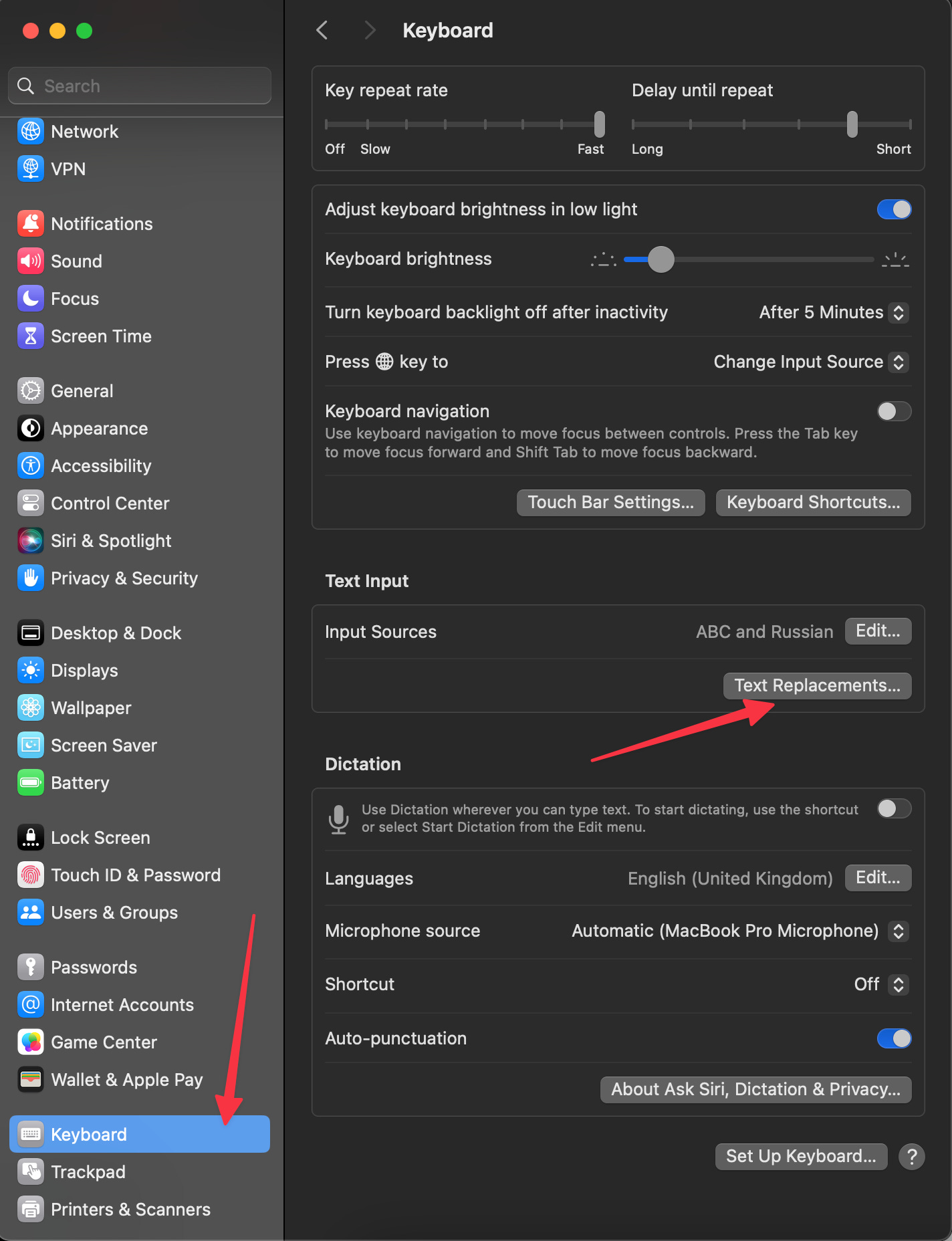
Its purpose is obvious: it allows you to create “text shortcuts” that can be transformed into another text on all devices under the same Apple ID.
Here are examples of my cal.com shortcuts to schedule meetings:
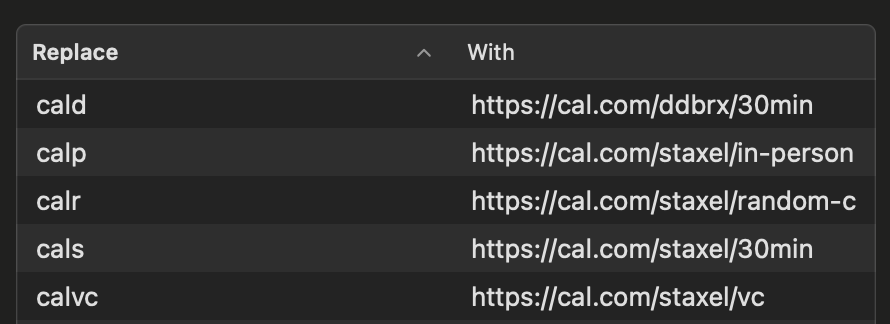

I’ve inserted the most frequently used referral codes into Text Replacements:

I also use Text Replacements for longer-form templates like blurbs or intros:

Let’s fill out a typical accelerator application form:
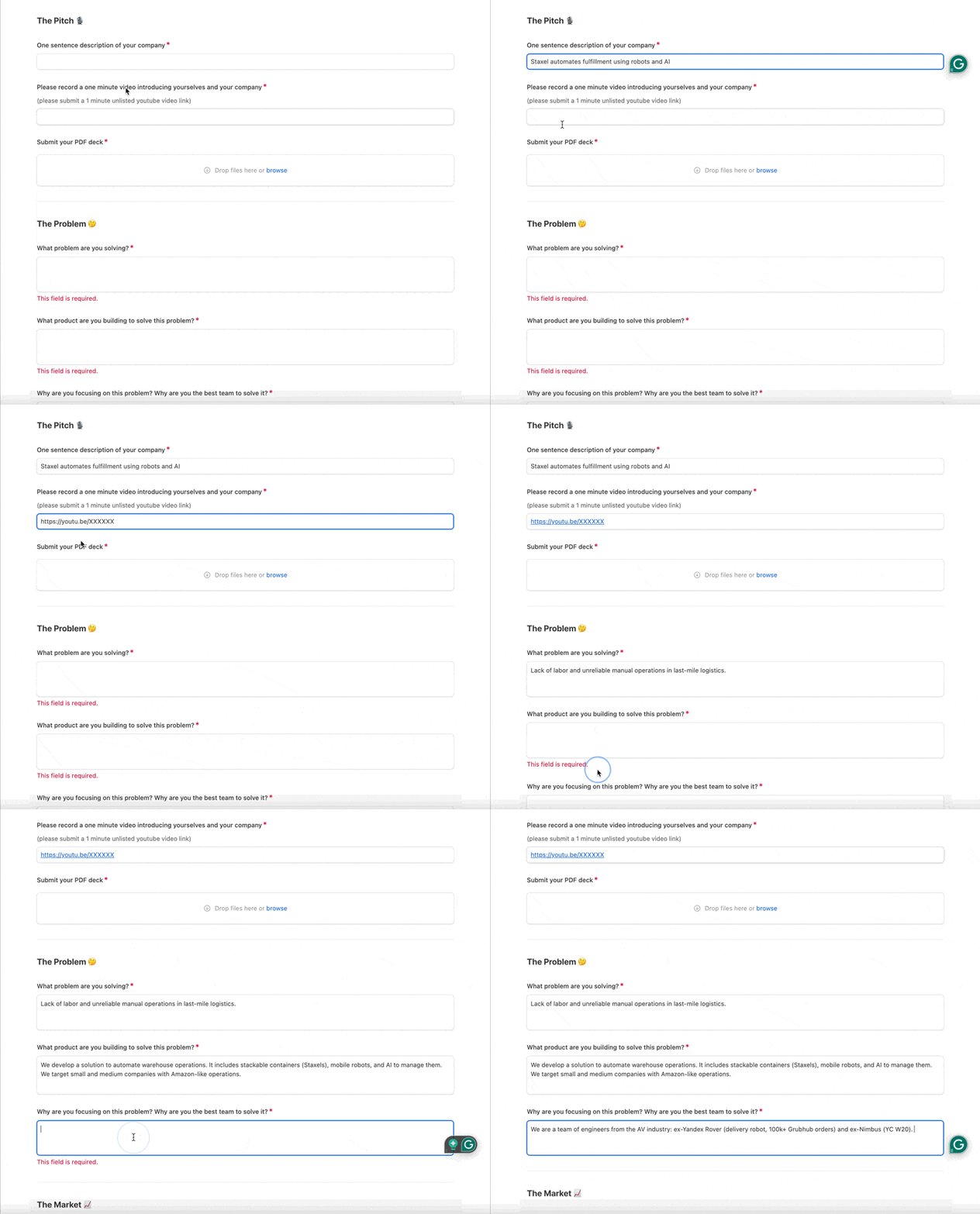
In my case, pitch deck links are among the most frequently used shortcuts:

iPhone/iPad
As I said before, Text Replacements are synchronized among your Apple ID devices. On your phone or tablet, look under General > Keyboard > Text Replacement:
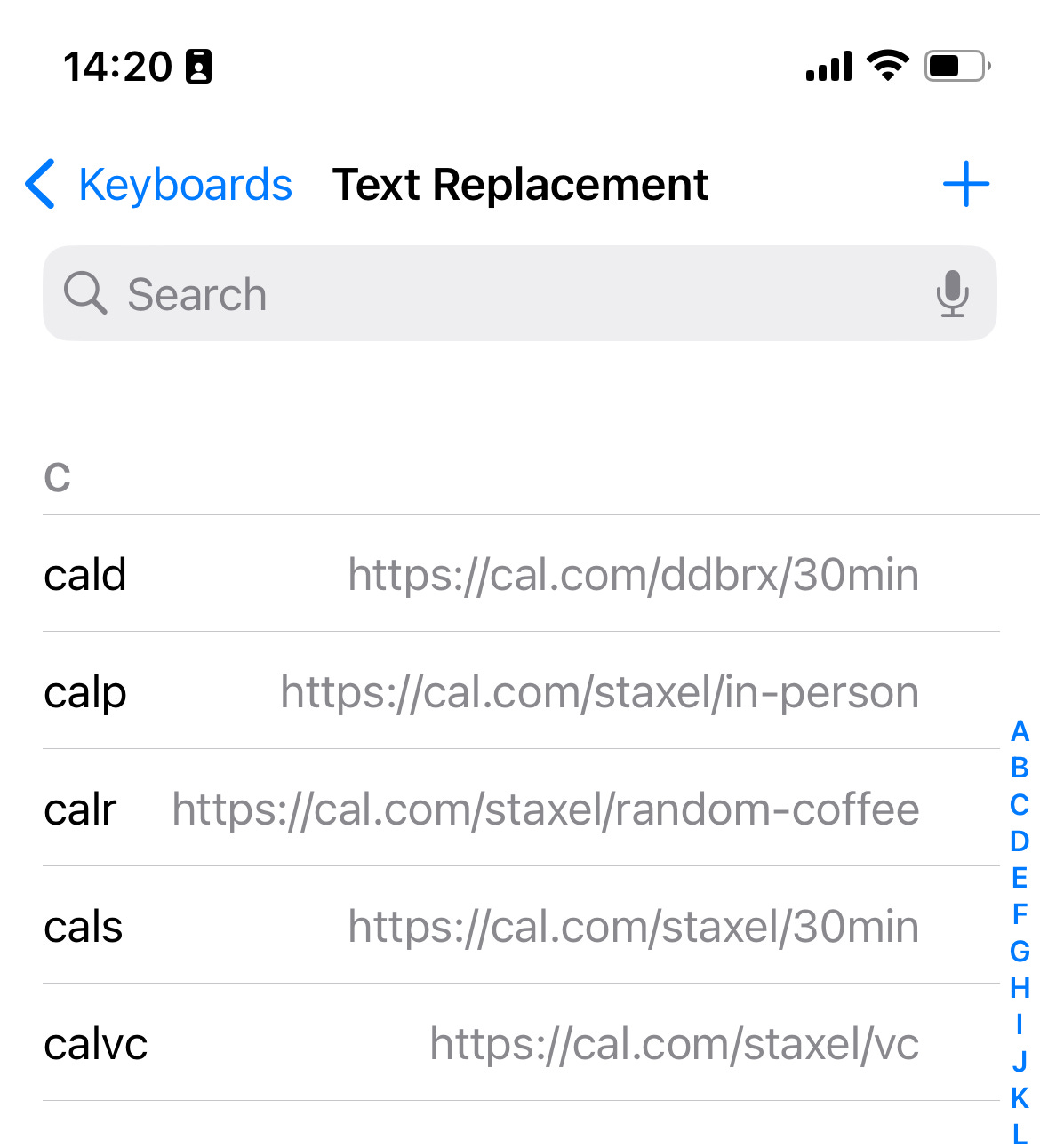
Phone/table usage scenario is pretty much the same:
Conclusion
I hope that using Text Replacements will improve your text communication by at least 1% from now on. Thanks for reading!
I love this. I have a few set up on my various email addresses @@ for my personal address and @@@ for business etc.